Schedule a Free Consultation : 954-748-0800

Custom Home Office Built-Ins Fort Lauderdale | American Built-In Closets

Custom home office built-ins in Fort Lauderdale cost $2,000 to $8,000, depending on scope, with closet-to-office conversions starting at $2,000 and full-room workstations reaching $8,000+. Floor-to-ceiling configurations with integrated lighting and cable management fall at the upper end of that range. 

A home office built-in is a permanently installed desk, shelving, and storage system designed to create a functional workspace inside a closet, spare bedroom, or dedicated room. 

Perry Birman, founder of American Built-In Closets with over 25 years of Broward County manufacturing experience, builds each home office system at the company’s Lauderdale Lakes facility using materials rated for South Florida humidity.

A cluttered desk and tangled cables make remote work harder than the job itself. American Built-In Closets builds workstations that organize your entire office into one clean system. Schedule your free consultation.

How Much Does a Custom Home Office Built-In Cost in Fort Lauderdale?

Home office built-in projects in Fort Lauderdale cost $2,000 to $8,000+, depending on configuration, with closet conversions at the lower end and full-room workstation builds at the upper end. 

The 2026 national average for home office renovations runs $2,000 to $22,000, but closet-based conversions fall well below that range because they work within existing walls.

Project Type

Typical Cost

What It Includes

Reach-in closet conversion (2–3 ft deep)

$2,000–$3,500

Desktop surface, monitor shelf, file drawers, cable pass-throughs, task lighting

Walk-in closet conversion (4–6 ft deep)

$3,500–$6,000

L-shaped desk, upper cabinets, open shelving, printer station, integrated LED

Full room built-in workstation

$5,000–$8,000+

Floor-to-ceiling cabinetry, credenza, display shelving, concealed wiring, and ambient lighting

Cost factors that shift the final number:

  • Material grade accounts for the largest swing — thermally fused laminate runs 20–30% less than solid wood veneer for the same layout
  • Integrated LED task lighting adds $200–$600, depending on fixture count and dimmer controls
  • Electrical modifications for dedicated circuits, hardwired Ethernet, or outlet relocation add $300–$800 and may require a Broward County permit for new wiring
  • Bifold or pocket door installation to conceal the workspace after hours adds $400–$900

Request My Free Consultation

    What Is a Closet-to-Home-Office Conversion?

    A closet-to-home-office conversion transforms a standard reach-in or walk-in closet into a compact workspace by replacing rods and shelving with a built-in desktop, monitor shelf, file drawers, and cable management, and optionally adding doors that close off the entire office when the workday ends. 

    Closet conversions represent the fastest-growing project category at American Built-In Closets based on 2024–2026 project records, driven by year-round remote and hybrid work schedules that show no seasonal drop in South Florida.

    Fort Lauderdale condos and older Broward County homes built before 2000 rarely include dedicated office space. Condo floor plans from that era commonly range from 800 to 1,200 square feet and lack an office. 

    What Is a Closet-to-Home-Office Conversion?

    A standard 6-foot reach-in closet with 24-inch depth converts into a full workstation with a 48–60 inch desktop, monitor shelf at ergonomic height, two file drawers, and an integrated power strip — all behind closet doors that restore the room to guest bedroom or living space appearance in seconds.

    The conversion works because the existing closet cavity provides:

    • Depth (24–28 inches) that matches standard desk dimensions without protruding into the room
    • A header and side walls for mounting upper shelving and task lighting
    • A door frame that accepts bifold, barn-style, or pocket doors to conceal the workspace
    • Existing electrical proximity for outlet access without major wiring changes

    What Built-In Features Make a Home Office More Productive?

    Ab Closets – Custom Home Office Built-Ins Fort Lauderdale | American Built-In Closets – Abc1 13

    Integrated cable management, adjustable monitor shelving, and dedicated file drawer zones rank as the three built-in features that improve daily home office function the most, based on repeat project requests across Broward County installations.

    Key features and their function:

    • Cable management channels — routed grooves behind the desktop surface carry power, monitor, and charging cables from the desk to a concealed power strip, eliminating visible wiring from the work surface.
    • Adjustable monitor shelf — a dedicated shelf mounted 4–6 inches above desktop height positions the screen at ergonomic eye level without a clamp-on monitor arm, freeing desk space below.
    • File drawer units — two-drawer legal/letter-size file cabinets built into the lower section of the workstation replace freestanding file cabinets that consume floor space.
    • Printer station — a pull-out shelf at mid-height houses the printer on a slide track that extends for paper loading and retracts flush with the cabinet face.
    • Task lighting — under-shelf LED strip fixtures illuminate the desktop without overhead glare, reducing eye strain during screen-heavy work.
    • Concealment doors — bifold, pocket, or barn-style doors close over the entire workspace, converting the office back to a closet or guest room wall in under five seconds.

    What Materials Work Best for Home Office Built-Ins in South Florida?

    Thermally fused laminate and marine-grade plywood resist the 60–75% average indoor humidity in Broward County homes that causes particleboard desktops to swell, sag under monitor weight, and delaminate at edge joints within 12–24 months. 

    Home office built-ins face sustained load stress from monitors, printers, and stacked paper, which accelerates humidity-related material failure compared to unloaded closet shelving.

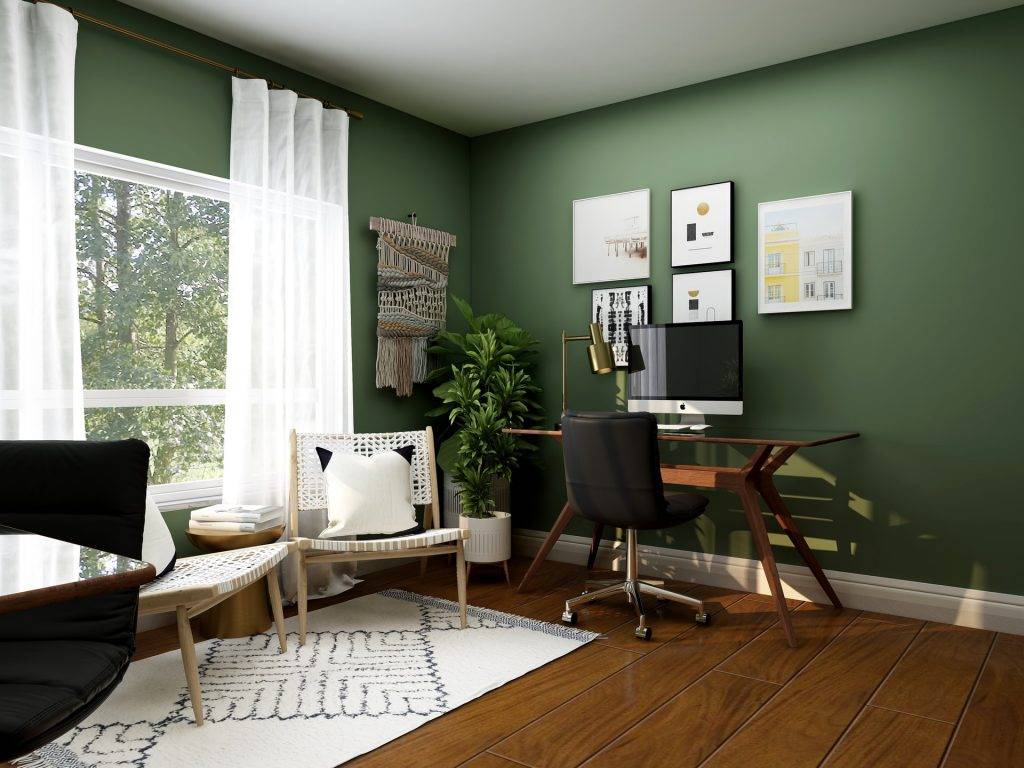
    collov home design UUsQk bdR unsplash

    Material

    Humidity Resistance

    Load Capacity

    Cost Level

    Best Application

    Thermally fused laminate

    High

    Moderate–high

    Mid

    Most closet conversions and workstations

    Marine-grade plywood

    Very high

    Very high

    High

    Dual-monitor setups, waterfront homes

    MDF (edge-banded)

    Low–moderate

    Moderate

    Low–mid

    Climate-controlled interiors only

    Particleboard

    Very low

    Low

    Low

    Not recommended for South FL

    Solid wood (walnut, maple)

    High (when sealed)

    Very high

    Premium

    Las Olas and Rio Vista millwork matching

    South Florida–specific considerations:

    • MDF desktops perform adequately only in continuously air-conditioned spaces maintained below 55% relative humidity, and require edge banding to prevent moisture wicking at exposed cuts, according to EPA indoor moisture guidance.
    • Particleboard surfaces are not recommended for South Florida home offices — humidity-driven sag appears within 12 months under typical monitor-and-keyboard load.
    • Salt-air corrosion affects exposed metal drawer slides and bracket finishes in homes east of the Intracoastal — powder-coated or stainless steel hardware resists degradation for 15+ years.
    • Solid wood requires sealing to prevent moisture expansion in Las Olas and Rio Vista historic homes.

    A home office that disappears behind closed doors keeps your living space yours after hours. American Built-In Closets builds convertible workstations for every room size. Book your free design consultation.

    What Home Office Layouts Work Best in Fort Lauderdale Condos and Small Rooms?

    Reach-in closet conversions and single-wall workstation builds work best in Fort Lauderdale condos because they contain the entire office footprint within 6–10 linear feet of wall space without reducing livable floor area. 

    Fort Lauderdale condos built between 1970 and 2000 rarely include dedicated office rooms, making dual-purpose design mandatory for remote workers.

    Layout options by space constraint:

    • Reach-in conversion (24–28 in. deep, 4–6 ft wide) — the most space-efficient option, fitting a desktop, monitor shelf, file drawers, and cable management inside an existing closet cavity with doors that close over the workspace.
    • Single-wall workstation (6–8 ft wide) — a desk-height surface with upper cabinets and open shelving, designed for spare bedrooms or alcoves without a closet to convert.
    • L-shaped corner build (two walls) — wraps around a room corner to create separate monitor and paper zones, suitable for walk-in closet conversions or rooms with two available walls.
    • Floating desk with wall-mounted storage — a cantilevered desktop with no floor supports and wall-mounted shelving above, creating the visual impression of open space in units under 900 square feet.

    Each layout accommodates integrated LED task lighting and concealed cable routing as standard features in locally manufactured systems.

    How Long Does a Home Office Built-In Installation Take?

    Most home office built-in installations in Broward County are completed within 3–7 business days after design approval. Reach-in closet conversions take 1–2 days to install. Full-room workstation builds with integrated electrical take 3–5 days on site.

    Timeline breakdown:

    • In-home measurement and consultation: 1 visit, 45–60 minutes
    • 3D rendering and revision: 2–4 business days
    • Manufacturing at a local Broward County facility: 4–6 business days
    • On-site installation: 1–5 days, depending on scope and electrical requirements

    Locally built systems ship from within Broward County, cutting 2–4 weeks off lead times compared to nationally franchised systems that ship from centralized plants. 

    Summer scheduling (June–September) often reduces wait times because installer demand peaks from November through April across all built-in categories.

    Frequently Asked Questions

    How much does a closet-to-office conversion cost in Fort Lauderdale?

    Reach-in closet-to-office conversions in Fort Lauderdale cost $2,000 to $3,500 for a complete workstation with a desktop, monitor shelf, file drawers, and cable management. Walk-in closet conversions with L-shaped desks and upper cabinetry typically range from $3,500 to $6,000, depending on material and accessories.

    Can a reach-in closet fit a full home office?

    A standard 6-foot reach-in closet with a 24-inch depth accommodates a 48- to 60-inch desktop, a monitor shelf, two file drawers, an integrated power strip, and task lighting. Bifold or pocket doors close over the entire workspace, restoring the room to a guest bedroom or living space appearance instantly.

    What is the best desk material for a home office in South Florida?

    Thermally fused laminate offers the best combination of humidity and stain resistance, and value, for South Florida home office desktops. Marine-grade plywood handles heavier dual-monitor loads without deflection. Particleboard sags under sustained load within 12 months in Broward County humidity levels above 70%.

    How long does a home office built-in take to install?

    Reach-in closet conversions install in 1 to 2 days. Full-room built-in workstations with integrated electrical and cabinetry can be completed in 3 to 5 days on site. The full project timeline from measurement through installation spans 2 to 3 weeks for standard configurations in Broward County.

    Does a home office built-in need a permit in Broward County?

    Standard cabinetry and shelving installations do not require a Broward County building permit. Electrical work for dedicated circuits, hardwired Ethernet drops, or new outlet locations may trigger permit requirements under the Florida Building Code, 8th Edition (2023), depending on the municipality.

    Do home office conversions increase home value in South Florida?

    Home office conversions generate a 10% to 20% return on investment at resale, according to 2026 Angi renovation data. Dual-purpose designs with concealment doors that restore the room to a guest bedroom configuration maintain broader buyer appeal than single-purpose office conversions.

    What is the best lighting for a home office built-in?

    Under-shelf LED strip lighting provides the most functional task illumination for home office workstations by lighting the desktop directly without overhead glare. LED fixtures consume approximately 75% less energy than incandescent alternatives and generate minimal heat inside enclosed cabinetry.

    Can I add a home office to a Fort Lauderdale condo with no spare room?

    Reach-in closet conversions and floating wall-mounted desks create functional home offices in Fort Lauderdale condos without dedicating an entire room. A 4-to-6-foot closet cavity converts into a complete workstation behind doors that close the office from view when not in use.

    What cable management options work in a built-in home office?

    Custom-built-in workstations route cables through internal channels and grommet pass-throughs behind the monitor shelf. Concealed power strips mount inside the cabinet. Separated wire channels keep power, data, and charging cables organized by type, so device swaps require no rewiring.

    How do you prevent humidity damage to a home office built-in?

    Thermally fused laminate and marine-grade plywood substrates resist the 60 to 75% indoor humidity common in Broward County homes. Continuous air conditioning maintained below 55% relative humidity protects paper files, electronics, and desktop substrates stored inside built-in cabinetry from moisture-driven warping and mold.

    Remote work deserves a workspace that matches your output, not a folding table in the corner. American Built-In Closets designs home offices built for Broward County professionals. Request your free consultation.